Reusable Art
A collection of free downloadable public domain images for crafters and web designers that have been rescued from old books, magazines, and other print materials. All of the images in this collection are copyright free in the United States and any country that extends copyrights up to 70 years after the death of the original artist making them in the public domain and free to use in your next scrapbook page, notecard or other craft projects.

Login
Reusable Art Crafty Ideas Photoshop Tricks Colorizing a Black & White Image
  • Navigating Reusable Art
  • Home
  • About Reusable Art
  • Resources & Links
  • Contact Us
  • Privacy Policy
  • Crafting Ideas
  • Image Categories
  • Alphabets & Letters
  • Animals
  • Arts & Crafts
  • Bird Images
  • Borders & Vignettes
  • Buildings
  • Christmas Images
  • Clothing & Apparel
  • Fishing Images
  • Flower Images
  • Food Images
  • Garden Images
  • Holiday Images
  • Household Items
  • Insect Images
  • Landscapes
  • Modes of Transportation
  • Music Images
  • Mythology
  • Nautical & Sealife
  • People
  • Sets of Images
  • Scientific Images
  • Timepieces
  • Toys
  • Tree Images
  • Vintage Endpapers
  • Search Reusable Art
Advanced Search

Support Our Sponsors!


Reusable Art Blog

Don't miss our official blog - Art Filled Days.


Colorizing a Black & White Image

Building upon our previous Photoshop tutorial, Using Overlay to Change Line Colors, now we will fill in some areas with solid color.

This works best with black and white images.

  • Open the image in Photoshop.
  • If you have not already done so, change the image mode to RGB Color. Use the menu path: Image > Mode > RGB Color
  • Pick the color you would like to use and select the brush tool. (You may need to return the Mode back to Normal.)
  • Create a new layer for your image.
  • In the Layers palette box you should currently see a drop down list box with Normal as the selection. Change this setting to Multiply.
  • Use a variety of colors and brush sizes to colorize your image. Any black or colored lines will remain their original color.

Our example image below, started as a simple black and white line drawing. Using the techniques shared in this tutorial and in our previous tutorial, Overlay to Change Line Colors , you could create a colorized image similar to that shown below. Imitate the overlay look of the old color printing process by selectively coloring outside of the lines.
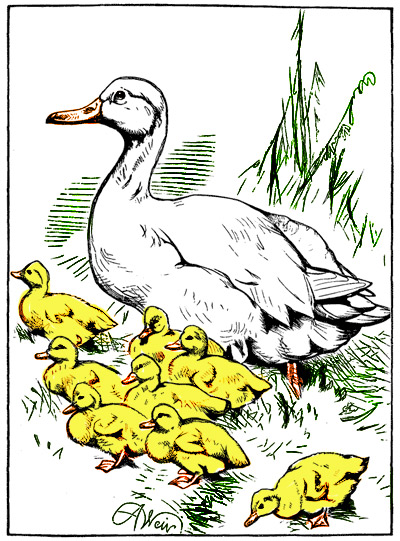
Artist: unknown

Image Appears In: The Nursery, A Monthly Magazine for Youngest Readers Vol XVIII - October 1875

Date Image Published: 1875

Check out ourAbout Us page for more information on Copyright Durations.


This image is copyright free and in the public domain anywhere that extends copyrights 70 years after death or at least 120 years after publication when the original illustrator is unknown.

nextlast
first previous
Add color to any black and white image easily in Photoshop.

Another copyright free and public domain image brought to you by ReusableArt.com and our valued sponsors.

Powered by Gallery v2.2